If you’re planning to hire Unity developers (or hire Unity developers in India) for a mobile game, the biggest hiring mistake is judging only by “years of experience” or a portfolio video. The best way to hire reliably is a structured Unity developer interview + a small practical test task that matches your real project needs (performance, gameplay, UI, ads, analytics, tools, etc.).
This guide gives you 15 Unity interview questions and practical Unity test tasks you can copy-paste into your hiring process—ideal for studios, startups, and publishers hiring for Unity 3D / Unity 2D roles.
Before You Interview: Define the Role (or you’ll hire wrong)
Unity roles vary a lot. First decide what you need:
Common Unity hiring roles
- Gameplay Programmer (Unity C#) – movement, combat, systems, tools
- Mobile Optimization Engineer – profiling, memory, performance, loading
- UI Programmer – Unity UI Toolkit / UGUI, animations, screen scaling
- Technical Artist – Shader Graph, VFX, lighting, URP/HDRP optimization
- Multiplayer Developer – Netcode/Mirror/Photon, sync, lag handling
- Full-stack Unity Developer – gameplay + UI + build pipeline
Hiring becomes easy when your questions and test tasks match the role.
15 Unity Developer Interview Questions (with what to look for)
1) “Explain your last Unity project architecture.”
Look for: clear separation of concerns (systems/services), maintainable structure, not everything in one MonoBehaviour.
2) “How do you manage game state and scene flow?”
Look for: finite state machine, event-driven design, clean scene loading strategy, avoiding singletons everywhere.
3) “How do you prevent and debug performance drops on mobile?”
Look for: Unity Profiler usage, frame debugger, memory profiling, batching, GC allocations, pooling.
4) “What causes garbage collection spikes in Unity, and how do you fix them?”
Look for: allocations from LINQ, string concat, foreach on some collections, closures, frequent instantiation; solutions: pooling, caching, struct usage, avoiding allocations in Update.
5) “How do you design reusable gameplay systems?”
Look for: modular components, interfaces used appropriately (not over-engineered), data-driven configs (ScriptableObjects).
6) “When would you use ScriptableObjects vs JSON vs hard-coded values?”
Look for: runtime vs editable content, versioning, balance tuning workflows.
7) “How do you handle animations (Animator, Timeline, DOTween) and why?”
Look for: correct tool choice based on complexity; awareness of performance and maintainability.
8) “How do you handle input across mobile + editor?”
Look for: Unity Input System or abstraction layer; touch gestures; consistent testing.
9) “How do you optimize loading times?”
Look for: Addressables, async loading, asset bundles, incremental loading screens, scene additive loading.
10) “Explain how you’d implement an object pooling system.”
Look for: reusable pool, prewarm, return-to-pool discipline, avoiding Instantiate/Destroy loops.
11) “How do you debug crashes and issues on Android/iOS builds?”
Look for: logcat, Xcode logs, Crashlytics, symbolication, device testing.
12) “What’s your approach to UI scaling and safe areas?”
Look for: Canvas scaler, anchors, aspect ratio handling, not hardcoding pixel positions, safe area support.
13) “How do you integrate SDKs like Ads/Analytics without breaking builds?”
Look for: clean wrappers, compile defines, dependency management, keeping SDK code isolated.
14) “How do you approach QA and bug fixing in a live project?”
Look for: reproducible steps, severity labeling, regression testing mindset.
15) “If you join tomorrow, what’s your first 3-day plan?”
Look for: setup, codebase understanding, risk identification, quick wins, communication.
Practical Unity Test Tasks (small, real-world, and role-based)
Below are test tasks you can assign depending on the role. Pick one (max 4–8 hours) and keep it focused.
Task A (Gameplay Programmer): “Mini Core Loop Prototype”
Goal: Build a simple loop (collect → upgrade → repeat) in Unity.
Requirements:
- Player movement (touch/keyboard)
- Collect items + currency counter
- Upgrade button increases a stat
- Simple win condition (reach target score)
Evaluation: - Code structure, reuse, readability
- No hardcoded magic everywhere
- Minimal bugs + good UX feedback
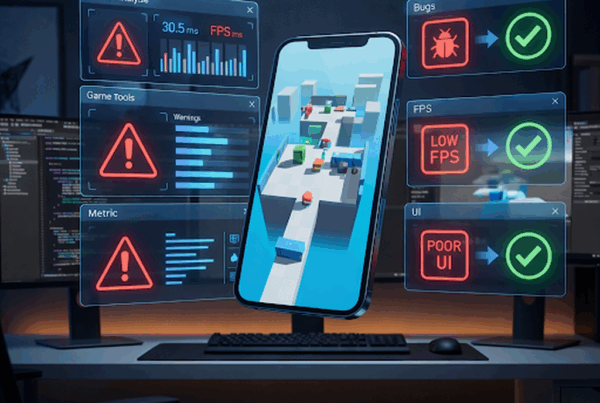
Task B (Mobile Optimization): “Fix FPS Drop Scene”
Goal: Provide a sample scene with performance issues and ask them to optimize.
Requirements:
- Use Unity Profiler
- Improve FPS on mid-range target
- Provide a short write-up: what was wrong + how fixed
Evaluation: - Understands batching, pooling, culling, light/shadow cost
- Eliminates GC spikes
- Makes measurable improvements
Task C (UI Developer): “Responsive UI + Animations”
Goal: Create a simple Home UI + Popups + transitions.
Requirements:
- One home screen with buttons
- Settings popup + close
- Smooth transitions (DOTween or Animator)
- Works on 16:9 and tall mobile screens
Evaluation: - Anchor/safe area correctness
- Clean UI hierarchy
- Reusable UI components
Task D (Technical Artist): “URP Material + Simple VFX”
Goal: Create a URP shader/material and a small effect.
Requirements:
- Basic stylized material (rim + fresnel or simple toon)
- One small VFX (particles + timing)
- Mobile-friendly settings
Evaluation: - Understands URP constraints
- Avoids heavy overdraw
- Makes controllable properties
Task E (Tools/Editor Scripting): “Level Editor Tool”
Goal: Make a small Unity Editor tool.
Requirements:
- Custom window
- Spawn selected prefabs in grid
- Save/load layout data (JSON or ScriptableObject)
Evaluation: - Editor scripting clarity
- Good UX in tool
- Clean file/serialization handling
Task F (Multiplayer): “Simple Sync Demo”
Goal: Small 2-player sync test.
Requirements:
- Two players moving + shooting
- Basic latency handling (prediction not required)
- Clean disconnect/reconnect handling
Evaluation: - Authority understanding (server/client)
- Clean sync approach
- Avoids desync bugs
Evaluation Checklist (Scorecard you can use)
Score each item 1–5:
- Code readability & naming
- Architecture / separation of concerns
- Performance awareness
- Debugging approach
- Mobile build knowledge
- Ownership & communication
- Task completion quality
- Documentation + short explanation
✅ Hire candidates who score high on clarity + maintainability + delivery, not just “clever code.”
Red Flags When You Hire Unity Developers
❌ Writes everything in Update without thinking
❌ Can’t explain profiler results
❌ Over-engineers simple problems (or under-engineers everything)
❌ No real device testing experience
❌ No version control discipline (Git)
❌ Avoids explaining decisions (“it just works”)
❌ Refuses to document or communicate tradeoffs